Create a Project
Create an IndexMind project with your website URL, site type, industry, regions, and business context such as audience, services, and prompt phrases.
In IndexMind, a project represents a single website you want to analyze for AI visibility. Each project tracks its own scores, recommendations, history, and competitor landscape. You can create multiple projects if you manage more than one site.
From the app, open Projects and choose New Project, or go to /app/projects/new.
Step 1: New project
You will be asked for:
- Project name: A label for the workspace (for example, "Example").
- Website URL: The site to analyze (for example,
www.example.com). IndexMind prefixeshttps://if you omit the scheme. - Site type (required): Portfolio, SaaS, Agency / Consulting, Local Business, Ecommerce, Blog / Media, Non-Profit, or Other. Site type is the largest driver of prompt quality.
- Industry (required): Choose from the industry list (Technology, Marketing, Healthcare, and others).
- Regions (optional): Primary country, plus an optional state or province. The primary region drives analysis. Plan limits how many regions you can add.
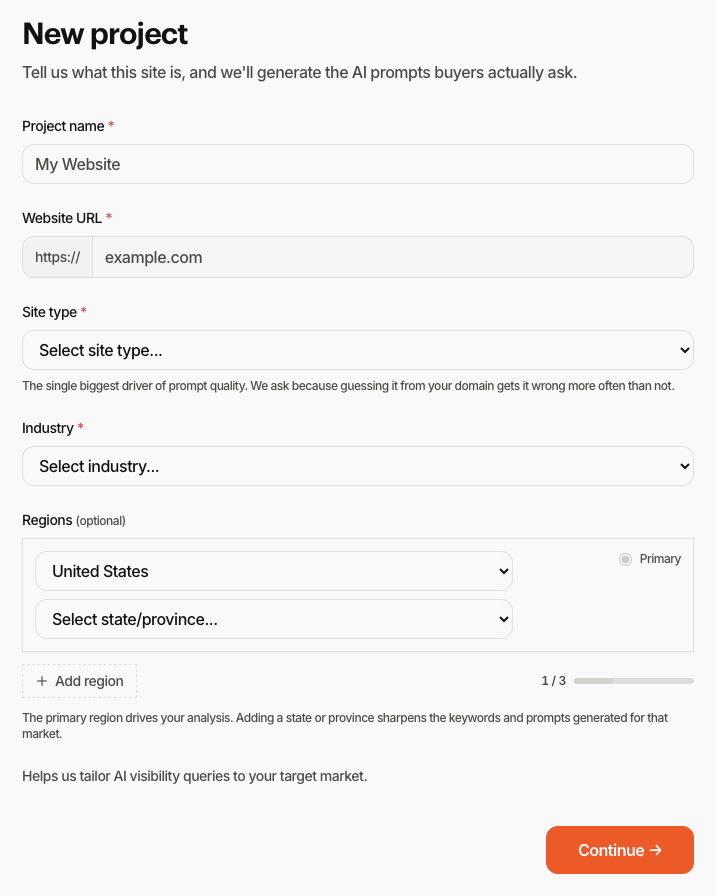
Choose Continue to create the project and move to business context.
Step 2: Business context
Business context makes analysis specific to your market. You can refine site type and industry here if step 1 was off.
Fields to complete
- Audience scope: Local, Online, or Both (hybrid). Local and hybrid projects show the Local tab.
- Primary services / keywords: One phrase per line or comma-separated. Use Generate keywords to draft phrases from your site, then edit.
- Prompt phrases (AIO): Natural-language questions buyers actually ask, kept separate from keyword targets so probes match real queries.
- Regions: Same region editor as step 1 if you need to adjust.
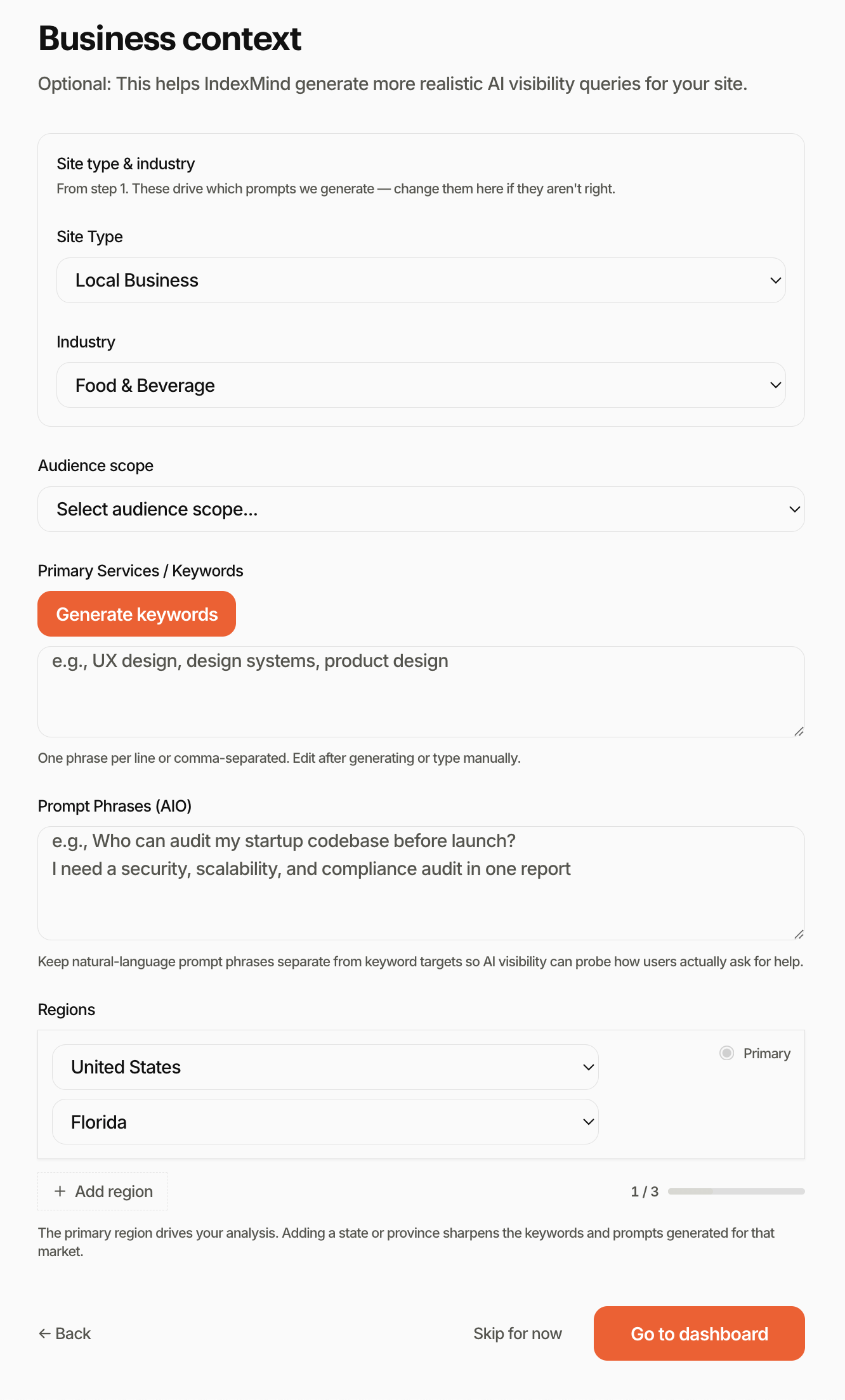
Use Generate keywords after site type and industry are set. Review the list before you go to the dashboard.
What happens next
Go to dashboard opens Overview for the new project. Skip for now also lands on Overview with whatever context you already saved. Head to Run Your First Analysis to crawl, probe, and score the site.