Configuration
Configure Bob: schedules, notifications, guardrails, and integrations with project management tools.
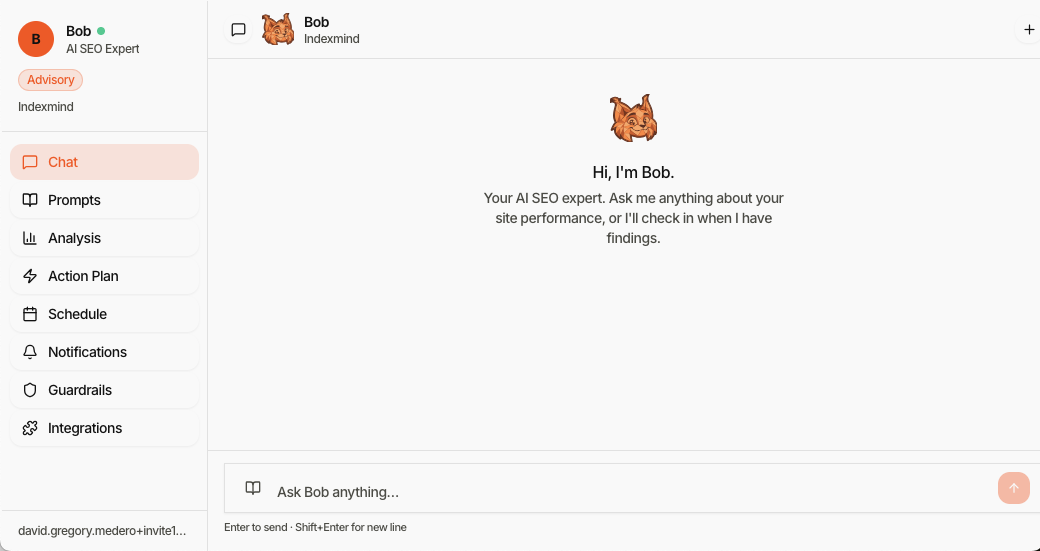
Configure Bob from /app/agent. The sidebar lists Chat, Prompts, Analysis, Action Plan, Schedule, Notifications, Guardrails, and Integrations.
Only OWNER or ADMIN roles can change Bob's configuration on paid plans. Other roles can view it.
Schedule
Control when Bob runs analyses:
- Recurring schedules (for example daily or weekly)
- Blackout windows when automated runs should not start
- On-demand runs from Chat or Analysis
Notifications
Choose which events notify you:
- New proposed action
- Action executed
- Action failed
- Analysis complete
- Score change beyond a threshold you set
Delivery: in-app (always on) and email digest (configurable).
Guardrails
Guardrails bound what Bob may do, regardless of autonomy level.
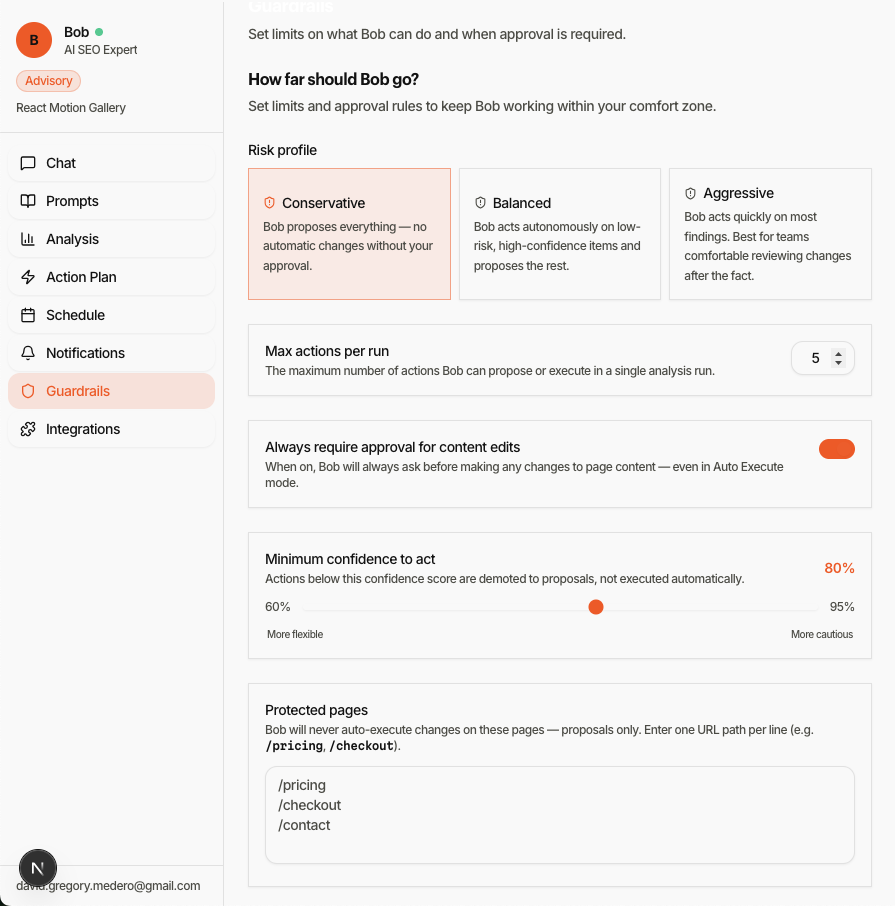
Typical settings:
- Risk profile: Conservative, Balanced, or Aggressive (see Risk Profiles)
- Max actions per run: Cap how many items Bob can propose or execute in one run
- Always require approval for content edits: Even in auto-execute mode
- Minimum confidence to act: Lower-confidence items become proposals
- Protected pages: URL paths that stay proposal-only
- Autonomy level: Advisory, Propose, or Auto (see Autonomy Levels)
Integrations
Route Bob's work to tools your team already uses. Connect accounts from Integrations (ClickUp, Jira, Notion, and others depending on what is enabled for the org). Each connection maps title, description, and priority into the destination.
In Propose mode, approved actions can be pushed to the connected tool. In Auto mode, executed actions are logged there for an audit trail.